API Documentation
Getting started
Prerequisites
To use the tagstack.io API, you will need:
- ❌ A paid account - Get started
- ❌ An API Key
Generate the API Key
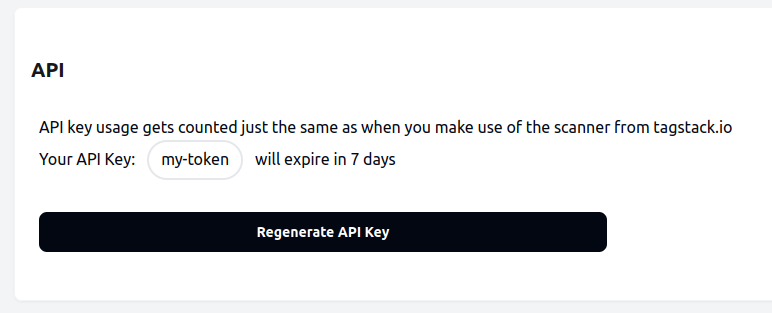
You can generate an API key from your profile. Simply click the button "Generate API Key".
Please note that your API key must be kept secret.
Authentication
All requests to the tagstack.io API must include your API key as a Bearer token in the Authorization header.
Authorization: Bearer $APIKEYScan a URL / Container ID
Scans the provided URL or container ID and returns detected technologies.
curl -H "Authorization: Bearer $APIKEY" https://service.tagstack.io/api/scan?url=ads.google.com Headers
Authorization RequiredYour API Key for authentication. Value: Bearer $yourAPIKey
Parameters
url RequiredThe domain, subdomain or GTM container ID you want to scan. Examples: ads.google.com, GTM-KL36Q2B
Response
{
  "success": true,
  "containers": {
    "G-59LMG6TE50": {
      "entityType": "GA4 Stream"
    },
    "GTM-M2PH3M87": {
      "cmp": null,
      "consentMode": false,
      "entityType": "GTM Container",
      "ga4ServerSide": false
    }
  },
  "url": "https://www.googletagmanager.com/gtm.js?id=GTM-M2PH3M87"
}
Save a Scan
Saves a scan for the provided URL or container ID and returns a permanent URL to access the saved scan.
curl -X POST -H "Authorization: Bearer $APIKEY" -H "Content-Type: application/json" -d '"url":"ads.google.com"' https://service.tagstack.io/api/save-scan Headers
Authorization RequiredYour API Key for authentication. Value: Bearer $yourAPIKey
Content-Type RequiredMust be set to application/json
Parameters
url RequiredThe domain, subdomain or GTM container ID you want to scan and save. Examples: ads.google.com, GTM-KL36Q2B
Response
{
  "success": true,
  "scanId": "abc123def456",
  "savedscanUrl": "https://tagstack.io/scan/saved/abc123def456"
}